What Realistic Sensor Data does
With Realistic Sensor Data on, a HideMyAndroid profile replaces the frozen accelerometer and gyroscope readings of an idle device with a moving, hand-held pattern. Switch it off and apps in that profile see the raw hardware again.
It is a Premium option on each profile: a Realistic Sensor switch with Accelerometer and Gyroscope checkboxes that appear once the switch is on; app 1.6.4 adds a third, Light sensor, tested separately. The module does not touch the hardware or its description; it rewrites the values inside every sensor event the hooked app receives, using one motion model for both sensors.
Key facts
- Realistic Sensor Data is a Premium, per-profile option with separate Accelerometer, Gyroscope and, since app 1.6.4, Light sensor checkboxes.
- This test covers the accelerometer and gyroscope, uncalibrated variants included; other sensors pass through unchanged.
- Sensor names, vendors, ranges, resolutions, and the sensor count stay as the hardware reports them.
- One motion model drives both sensors, so movement reaches the accelerometer and gyroscope together.
- The options can be set from ADB through the Headless API’s profile.update hookFlags parameter.
- It applies to the profile’s target apps, and only after the app is restarted.
How we tested it
We ran Sensor Test (ru.andr7e.sensortest 1.6.9) on an Android emulator: Google APIs image sdk_gphone64_arm64, Android 16 / API 36, rooted with Magisk plus an Xposed framework that loads HideMyAndroid 1.6.3 into Sensor Test, on a Premium license. One profile had Sensor Test as its only target app, with the switch and both checkboxes on.
We captured four states, force-stopping Sensor Test before every capture, because the module decides once per app launch whether to hook that process:
- No profile active.
- Profile active, Realistic Sensor Data off.
- Profile active, Realistic Sensor Data on.
- Profile deactivated again.
Every number below comes from a screenshot, eight per state (six for state 4), about 0.7 seconds apart.
Accelerometer: before and after
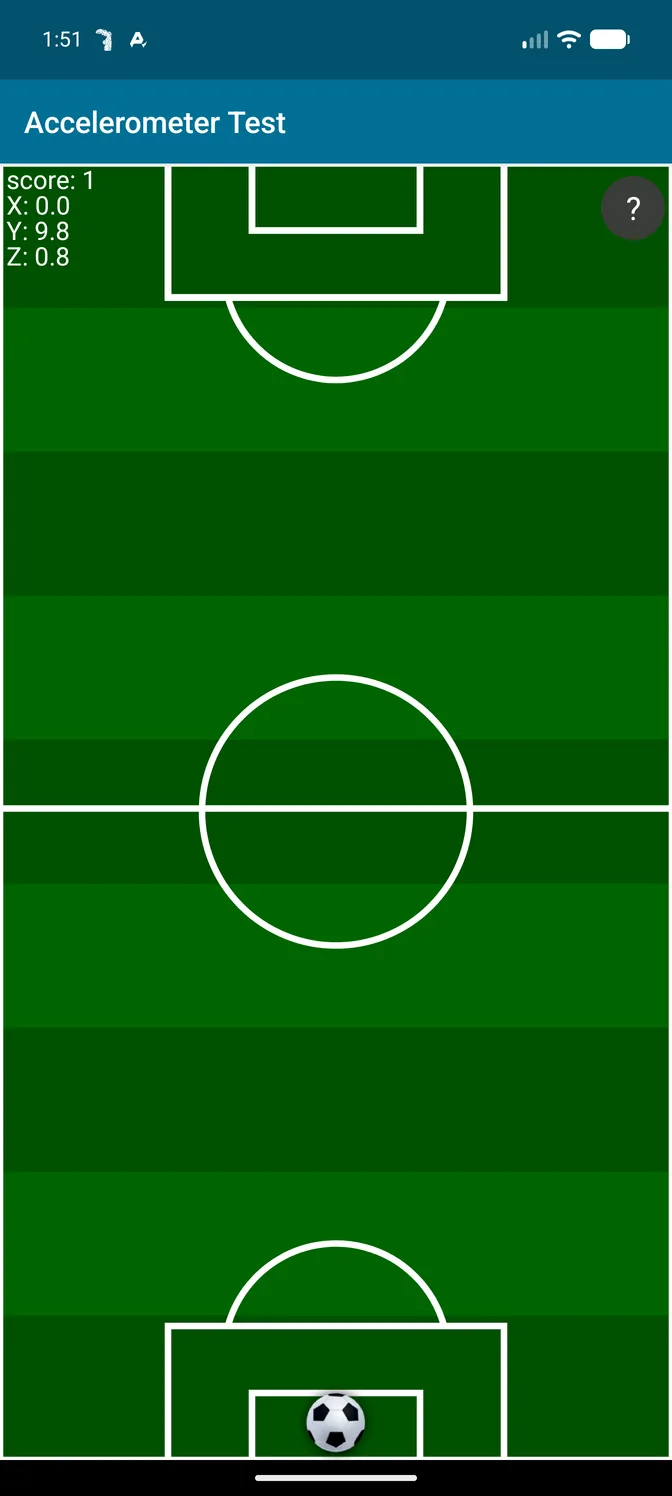
With no profile active, the emulator reports X 0.0, Y 9.8, Z 0.8 m/s² on every sample: gravity on the Y axis of an upright phone that never moves, which is how an emulator, or a phone bolted to a rack, looks to an app.
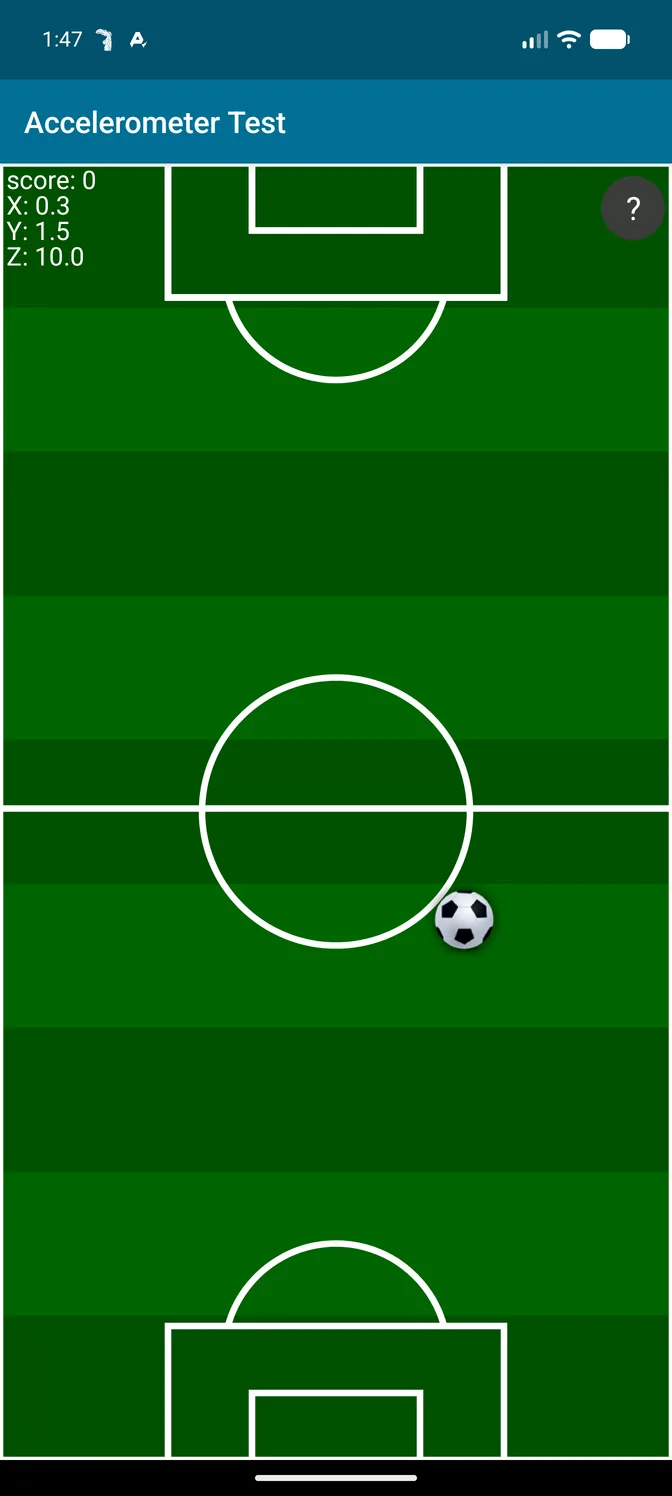
With the profile active and Realistic Sensor Data on, the readings change on every sample. Gravity sits on the Z axis, about 9.5 m/s², as on a phone lying face up, while all three axes keep drifting:
| Axis | Profile off | Profile on: min / max / mean |
|---|---|---|
| X | always 0.0 | -1.0 / 0.7 / -0.05 |
| Y | always 9.8 | -1.8 / 0.9 / -0.05 |
| Z | always 0.8 | 8.8 / 10.1 / 9.4 |
The ball in the Sensor Test game only moves in state 3. State 2, profile active but feature off, read exactly like state 1, and state 4 went back to frozen values, so the change comes from this feature alone.
Gyroscope: before and after
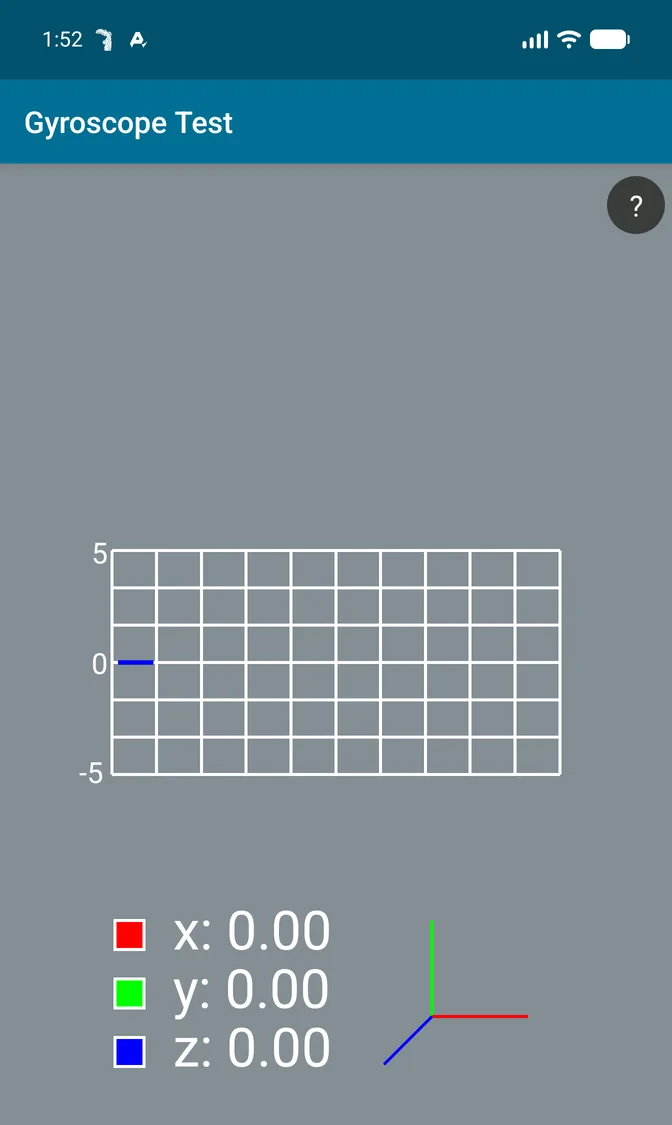
An idle emulator gyroscope reports 0.00 rad/s on all three axes forever. A phone in a hand never does; even a steady grip produces small rotations.
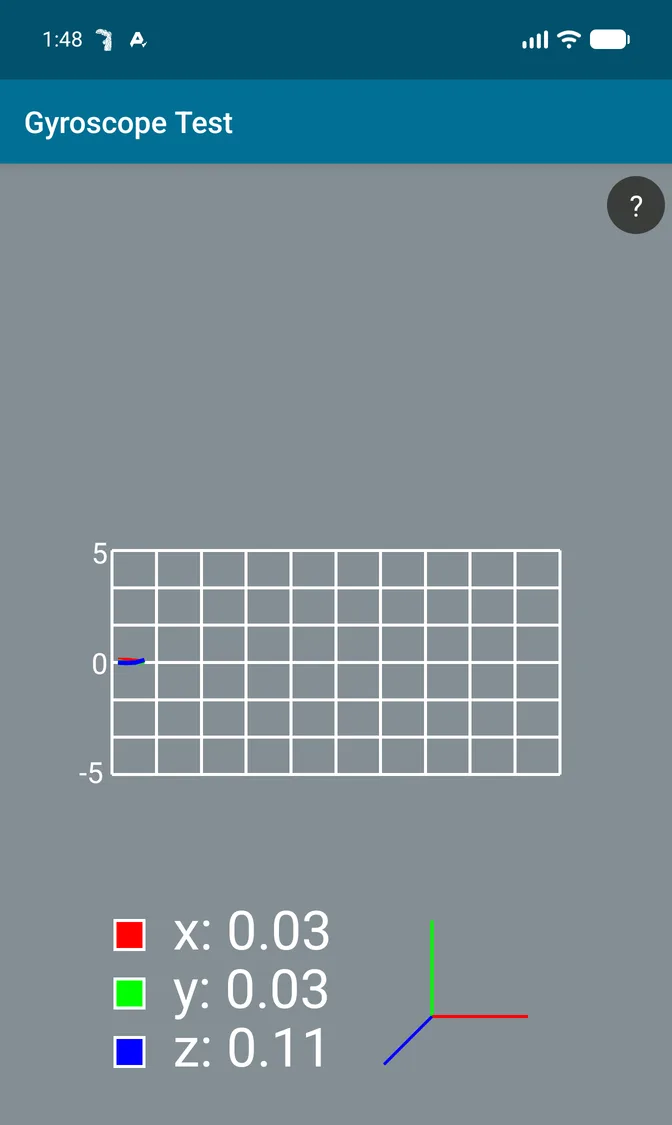
With Realistic Sensor Data on, the gyroscope reports small angular velocities that change every sample and follow the accelerometer:
| Axis | Profile off | Profile on: min / max / mean |
|---|---|---|
| x | always 0.00 | -0.21 / 0.20 / -0.005 |
| y | always 0.00 | -0.51 / 0.16 / -0.044 |
| z | always 0.00 | -0.02 / 0.21 / 0.073 |
A jolt shows up in both sensors in the same instant, as it does in a real hand.
What does not change
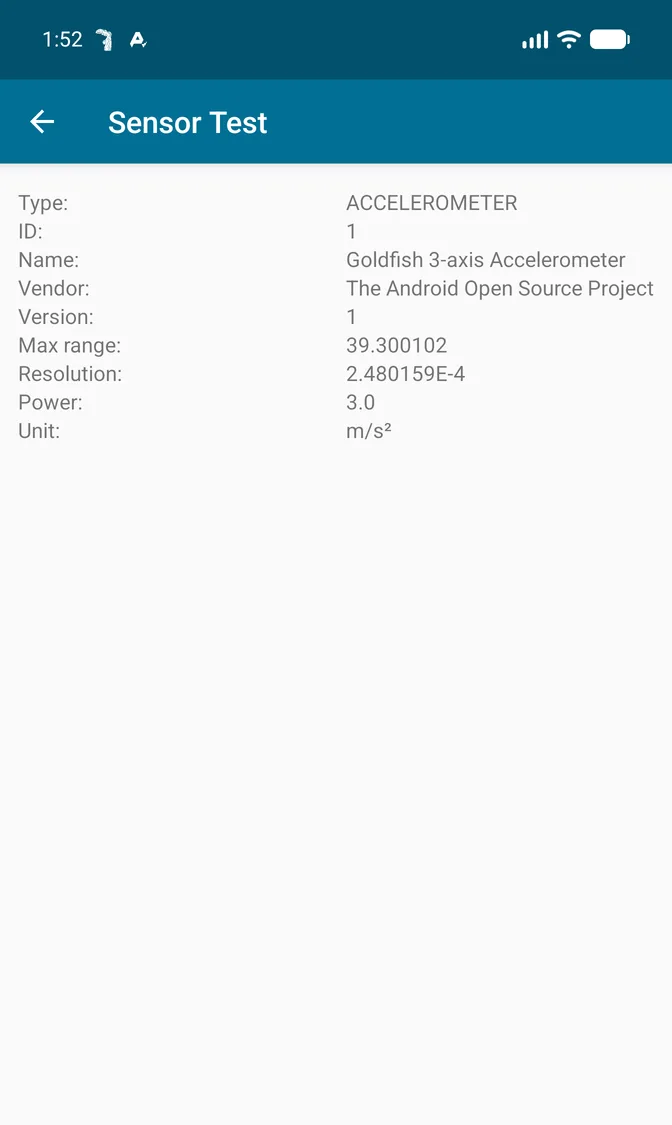
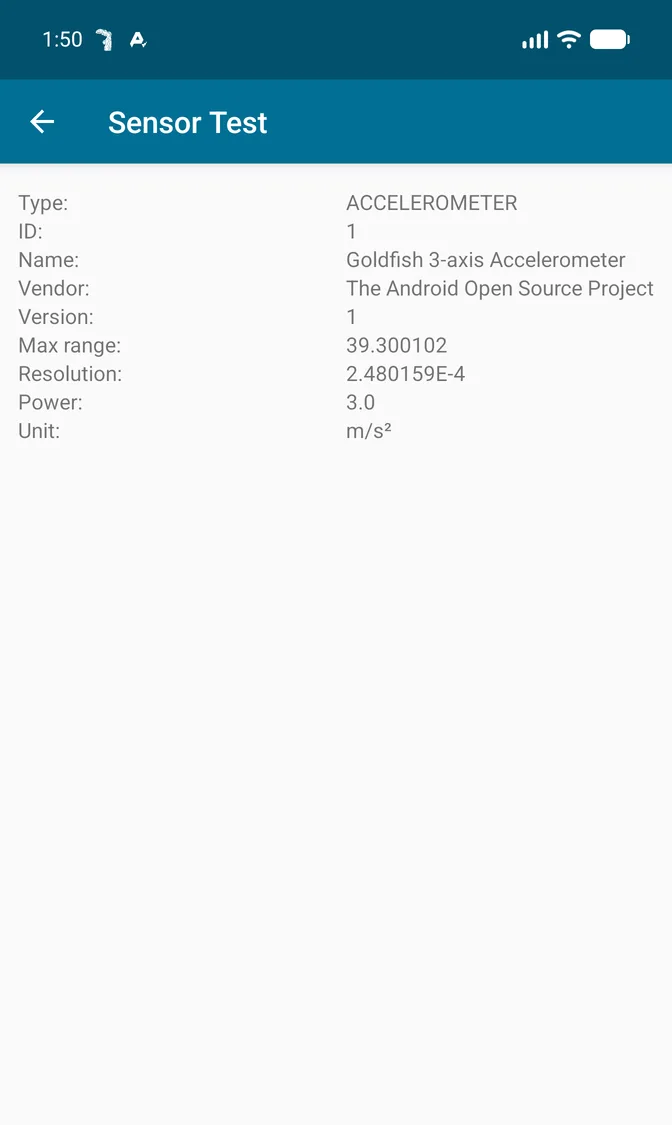
The Sensor Test info screen is identical in every state: the accelerometer is still “Goldfish 3-axis Accelerometer” by “The Android Open Source Project”, and the app still counts 17 sensors. HideMyAndroid rewrites the stream of values, not the hardware description. On a real phone the name is already genuine, so this only matters on an emulator; reporting another phone model is the job of Device Simulation, a separate protection layer.
The simulation covers the Java sensor API that nearly all apps use; native-code reads and one-shot trigger sensors are not.
How to turn it on
In the New Profile or Edit Profile screen, find Realistic Sensor in the Premium section, turn on the switch, then tick Accelerometer, Gyroscope, or both (app 1.6.4 adds Light sensor). Save, activate the profile, and relaunch the target app; a running app keeps its old sensor behavior until restarted. Accelerometer dates from app 1.2.6; Gyroscope needs 1.6.3 or newer.
From ADB, the Headless API sets the same options through the hookFlags parameter of profile.update, with the keys hook_realistic_sensor, hook_sensor_accelerometer, hook_sensor_gyroscope and, from 1.6.4, hook_sensor_light. JSON cannot travel through a content call, so use the broadcast form. It replaces the whole flag map, and an omitted key counts as on, so read the current flags with profile.get and send the full set back:
adb shell am broadcast -a com.wowsoftware.hidemyandroid.HEADLESS_UPDATE -p com.wowsoftware.hidemyandroid -e token <your_access_token> -e id <profile_id> -e hookFlags '{"hook_realistic_sensor":true,"hook_sensor_accelerometer":true,"hook_sensor_gyroscope":true,"hook_sensor_light":true,...}'What it does not promise
No tool can guarantee zero detection forever. Realistic Sensor Data removes one obvious tell, motion sensors that never move, and keeps the two sensors consistent; it does not rename an emulator’s sensors, and platforms keep changing their checks. Under the Terms of Service, you remain responsible for following the laws and platform rules that apply to you.
Next steps
- Read what HideMyAndroid is for the full list of protection layers.
- Compare plans in the pricing article; every Premium plan includes every sensor option.
- New to the module? Follow the installation guide, then see who uses HideMyAndroid.